A free digital badge maker
Design your badge in the browser, from a template or a blank canvas. Download the image, and award it when you are ready.
You need a free account first: we email you a code (no password, no card), then you name your organization. The designer works on a screen at least 768 pixels wide.
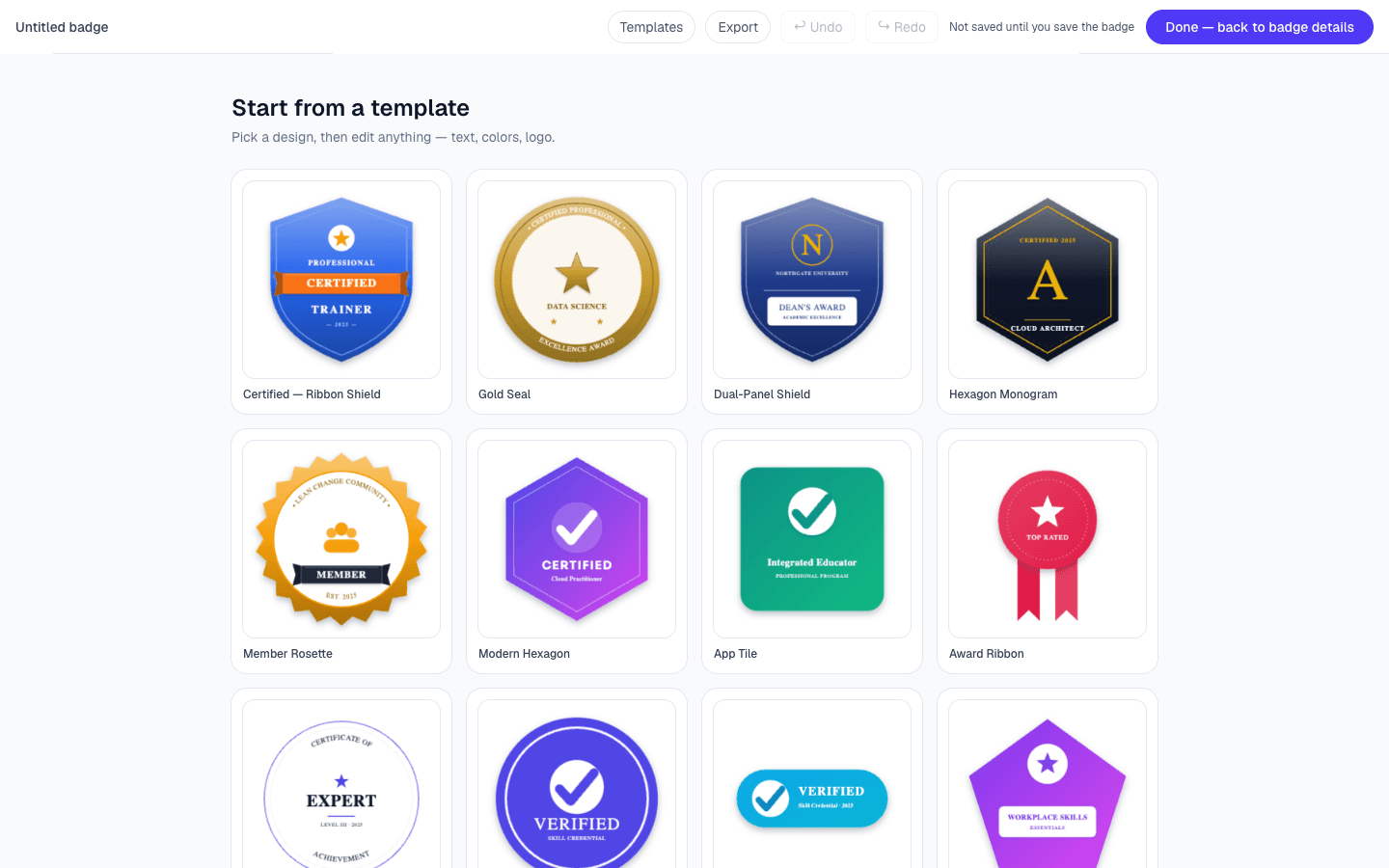
What is in the designer
Templates and shapes
27 templates to start from, 6 base shapes (seal, shield, hexagon, rosette, ribbon and burst), or a blank canvas. There are also 24 basic shapes to add on top.
Icons
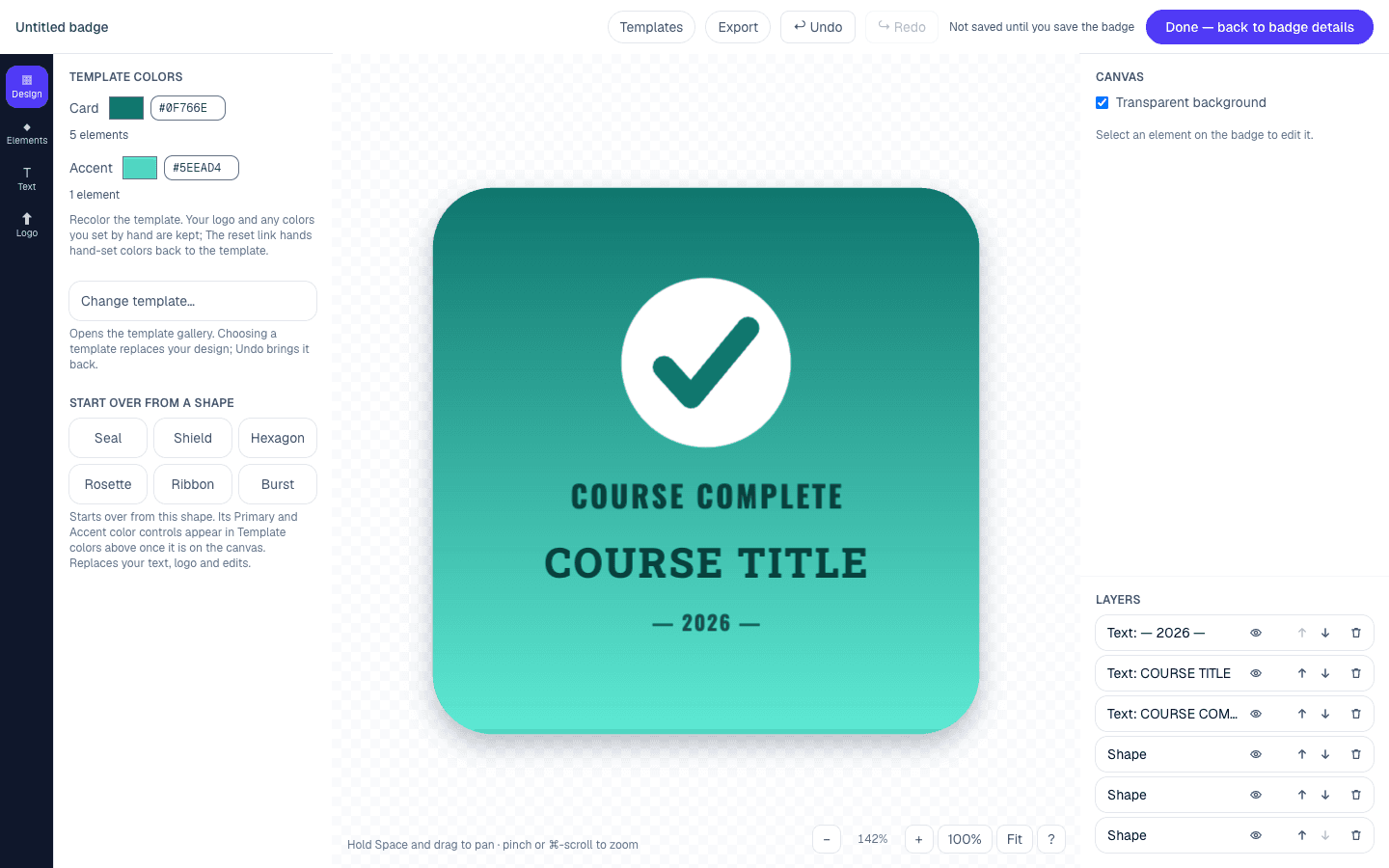
More than 1,300 icons in 14 categories, from Academic and STEM to Games & Sports. You can search them.
Fonts
300 Google Font families plus Georgia, Arial and Verdana, searchable. Set text along the top or bottom curve of the badge. Text can be bold, underlined, outlined and spaced, and italic where the font has one. Curved text has fewer controls.
Your logo and colors
Add your logo to a graphics library shared by your organization. Every color swatch has a hex field beside it. Shapes take solid or gradient fills, lines, shadows and opacity.
Layers, undo and zoom
A layers list lets you show, hide, lock and reorder items. Undo and redo go back 50 steps. Zoom runs from 25% to 400%.
Download the image
The Export button in the top bar gives you three choices.
- PNG at 960 x 960 pixels. This is the same size the badge is saved at.
- PNG at 2,048 x 2,048 pixels, for print or slides.
- SVG.
Export works before the badge is saved, and on every plan including free. The SVG refers to fonts by name, so whatever opens it needs those fonts. It also leaves out an uploaded logo. If your design has a logo, use the PNG.
How to get to it
- 1Sign in with an 8-digit code we email you. No password, no card.
- 2Name your organization and choose its address. The address is permanent, so choose with care.
- 3Select + New badge, then Open designer. The template gallery opens first.
- 4Select Save draft to keep your work. A draft needs only a badge name and cannot be awarded.
- 5To award it, select Create badge, or Publish badge on a draft. That needs a name, a description and criteria.
Already have a badge image?
You can upload a square PNG under 4 MB instead of designing one.
When you award it
Each recipient gets a link to a public badge page. They do not need an account. Their download is the badge image with the signed credential inside it.
The free plan covers 100 badges issued per calendar year. Designing is not limited by plan. See pricing or how to issue digital badges.
What you should know
- You need an account and an organization before the designer opens.
- The designer needs a screen at least 768 pixels wide. A phone or a narrow window shows a message asking for a larger screen.
- The SVG names its fonts and leaves out an uploaded logo. Use the PNG when your design has a logo.
- A design is saved only when you save the badge form.
- For what we checked on accessibility, and the known gaps, read the accessibility section of our security page.
Questions
- Is the badge maker free?
- Yes. No designer feature depends on the plan, and designing badges is unlimited on every plan. The free plan covers 100 badges issued per calendar year. It needs no credit card.
- Do I need an account?
- Yes. You sign in with an 8-digit code we email you, then name your organization and choose its address. The designer is on the new-badge form, so it opens after that setup.
- Can I download the badge without awarding it?
- Yes. Export is in the top bar of the designer. It works before the badge is saved and on every plan, including free.
- What size is the image?
- You can download a PNG at 960 x 960 pixels or 2,048 x 2,048 pixels, or an SVG. The image saved with the badge is a 960 x 960 PNG.
- Can I use my own logo and fonts?
- Logos, yes. You can add any image your browser can open. It is redrawn as a PNG with a longest side of 1,024 pixels and kept in your organization's graphics library when the result is under 4 MB. Fonts are chosen from the list: 300 Google Font families plus Georgia, Arial and Verdana.
- Does it work on a phone or tablet?
- Not on a phone. The designer needs a screen at least 768 pixels wide, and below that it shows a message asking for a larger screen. From 768 to 1,023 pixels it shows one side panel at a time.
Design your first badge
Sign in with a code we email you. No password, no credit card.